You will be able to track shipments using Flexport Direct Delivery, Flexport LTL, and Flexport FCL on the Flexport dashboard.
To track a shipment going to an Amazon FBA warehouse in the EU, see Amazon EU Delivery: Tracking Your Shipment.
Amazon LTL:
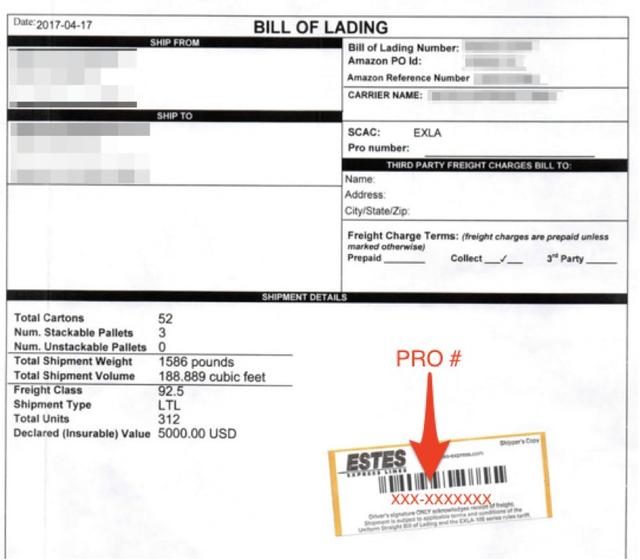
After the carrier picks up the shipment, we will upload the signed trucking B/L (Bill of Lading) in your Documents section.
Note: Once your shipment has been picked up by an Amazon-partnered carrier, Flexport will confirm delivery to Amazon. From pick-up Amazon is responsible for the handling and billing of your shipment.
- Find the B/L in the “Documents” section of the app.
- Locate the PRO# on the B/L. (It is usually on a sticker or stamp at the bottom of the B/L).
- Use the PRO# (shown on B/L below) to track the shipment on carrier websites.