Search a product, or enter your own HTS code
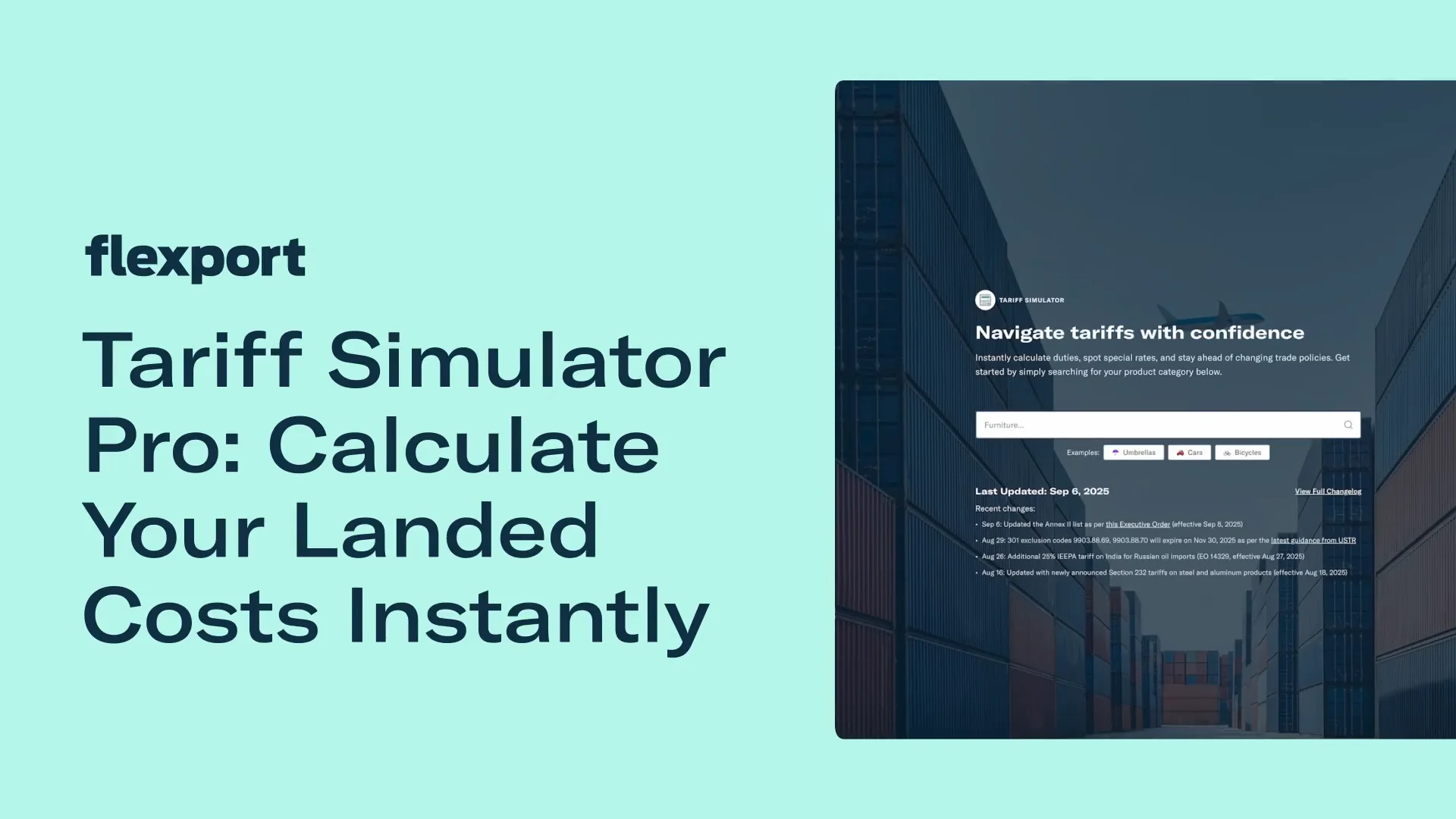
Couldn't load video
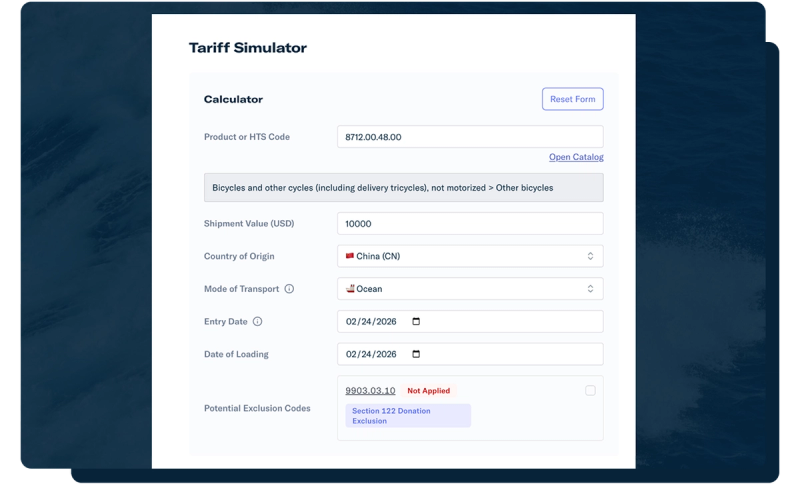
Type in a product name, keyword, or HTS code and the Tariff Simulator pulls up a match you can drop straight into the calculator. Add your shipment value, country of origin, and mode of transport, and you're set.
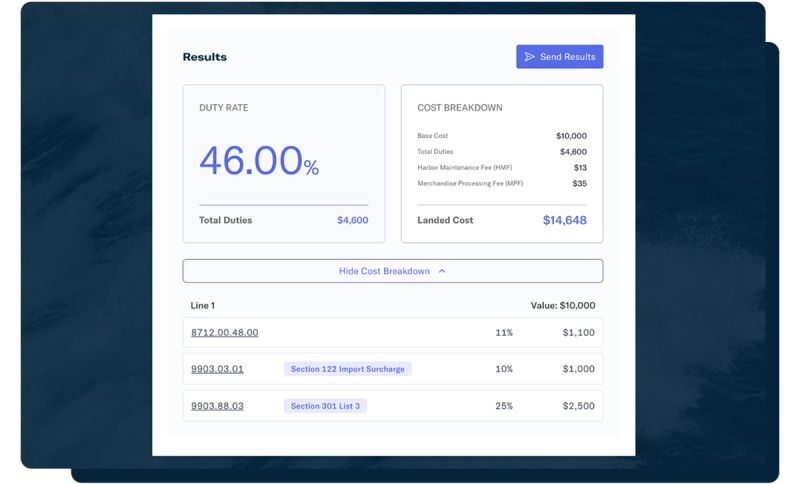
Every result breaks the duty down by tariff type, so you can see exactly what's driving the number, not just the total.
Tariffs change fast. The Simulator keeps pace.
48 hours: Our commitment for reflecting an official tariff change, from announcement to updated duty rate.
100%: Includes every current U.S. HTS commodity code. One place to do all your lookups.
Free: Cost to use the core Tariff Simulator. Every update to the calculation is public in the changelog.
From a single HTS lookup to a full landed cost picture
Search any HTS code
Look up a product by keyword or code and get an instant duty rate, broken down by tariff type so you know exactly what's adding to the total.
See the trade context
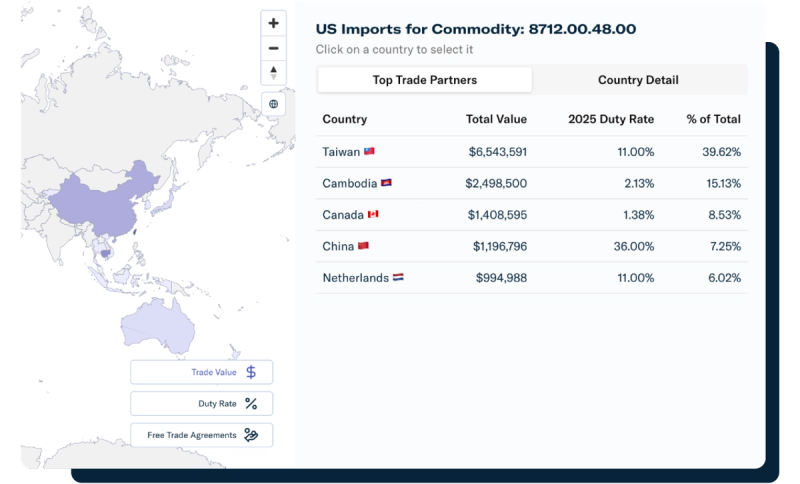
Pull up the Trade Map for any HTS code to see top trading partners, average duty rates, and available free trade agreements.
Track every change
Every update to a tariff rate is logged in the public changelog, so you can see exactly what changed, and when.
Plan smarter sourcing scenarios
Explore alternative trade lanes, manufacturing options, import timelines, and cost forecasts, backed by Flexport's customs brokerage advisory.
How to use the Tariff Simulator
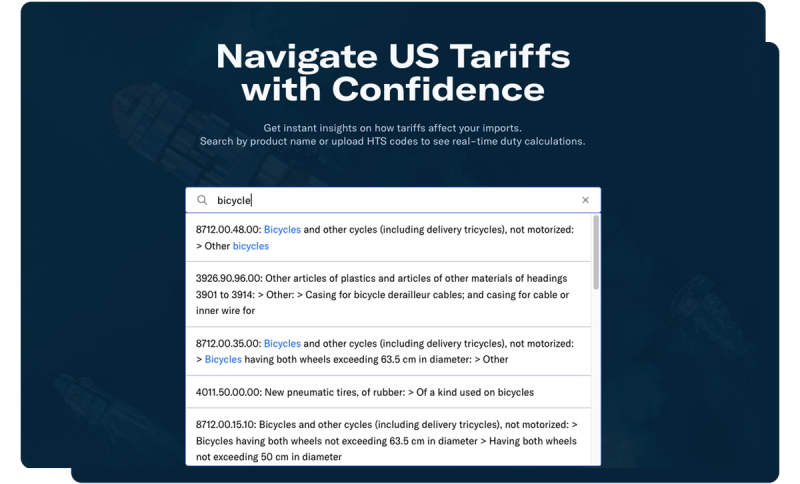
Use the search bar at the top to search for specific products, HTS codes, or any keyword to pull up an HTS code. Click on that HTS code to auto populate it into the Simulator.
Sign in for Tariff Simulator Pro
Couldn't load video
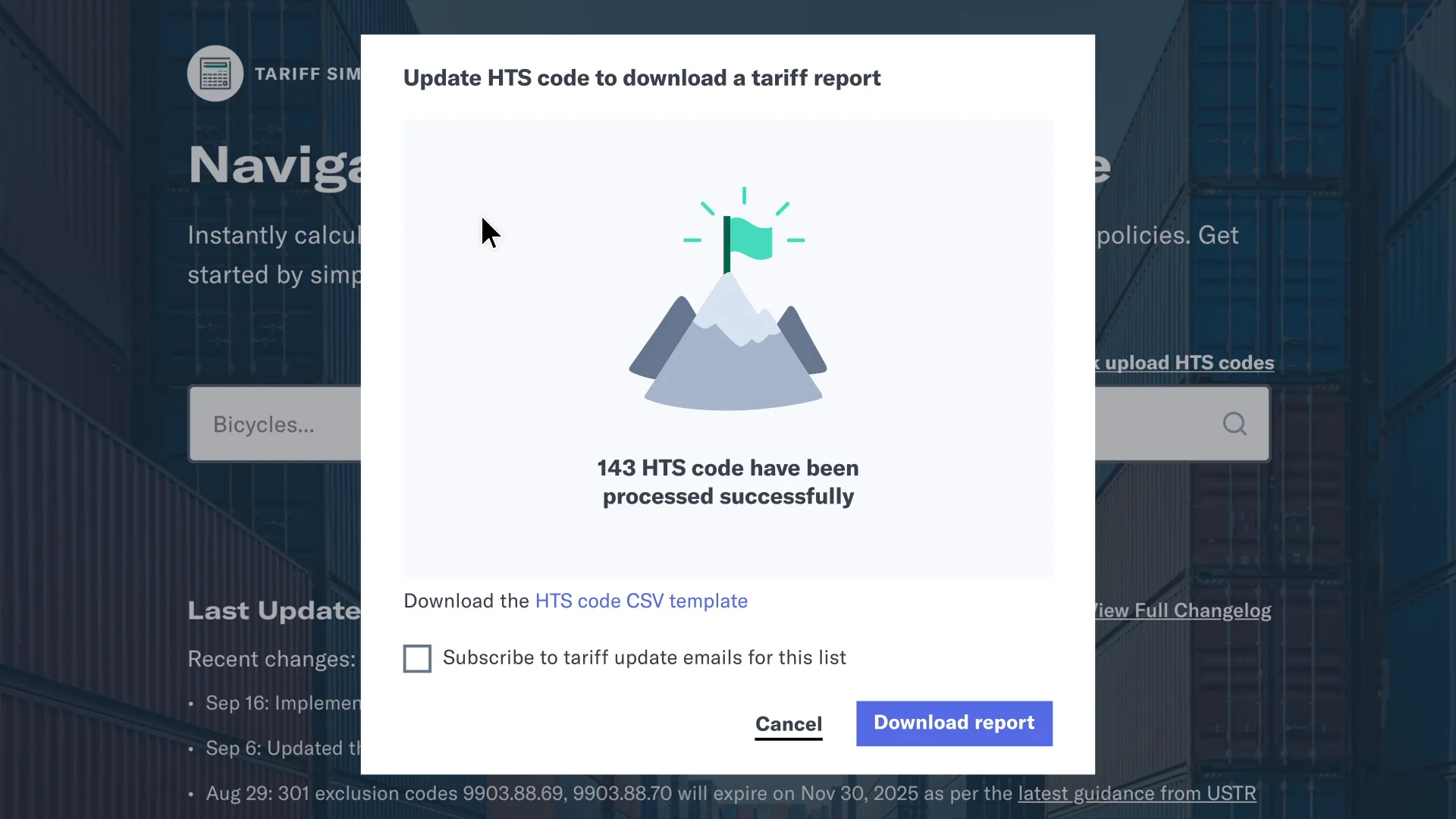
Logging in to your account on the Flexport Platform unlocks bulk HTS uploads, so you can check your entire product list at once, plus PGA (partner government agency) requirements, additional fees, side-by-side country comparisons, and email alerts when a duty change hits one of your codes.
Frequently asked questions
Is Flexport Tariff Simulator free to use?
Yes. You can look up up to 10 HTS codes without an account. Sign in with a Flexport Client App account to unlock Tariff Simulator Pro.
How current is the tariff data?
We update the Simulator within 48 hours of an official tariff change. Every update is logged in the public changelog, so you can see exactly what changed and when.
Do I need to log in to use it?
No, not for basic lookups. Logging in with your Flexport Client App account unlocks Tariff Simulator Pro automatically, no separate signup needed.
What does Tariff Simulator Pro add?
Bulk HTS uploads, PGA (partner government agency) requirements and additional fees, side-by-side comparisons across countries, and email alerts when a duty change affects one of your codes.