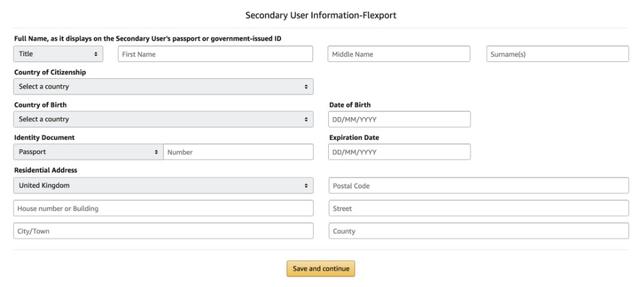
Grant Flexport limited access to your Seller Central Account after you have booked your shipment. With limited access to your Seller Central account, Flexport can download FBA and pallet labels as needed and input any information necessary to expedite your shipment. Note that sharing access is only possible with a professional Seller Central Account.
**If you have already shared your Seller Central Access, you do NOT have to share it again.**
There is a US Amazon Seller Central and a EU Amazon Seller Central. If you ship to both the US and the EU, you will need to share permissions on both Seller Central accounts.
1. Go to User Permissions in Settings. Add a new Seller Central User. Send an invitation to your dedicated operations associate's email address.

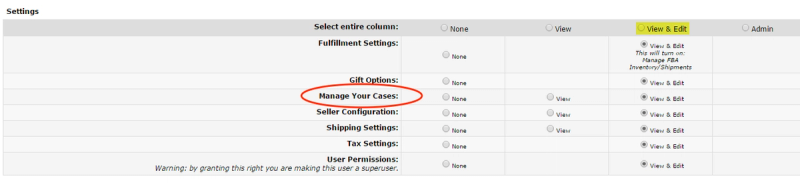
2. Approve registration after your operations associate has confirmed they received the invitation. Grant View/Edit Permissions for Manage FBA Inventory/Shipments and Manage Your Cases.

If you are shipping to Amazon EU, you will need to provide secondary user information. Input your own information here.