Estimated costs of Flexport Direct Delivery, Flexport LTL, and Flexport FCL will be included in your quote.
FedEx:
Follow the steps below to estimate the price of using FedEx as a final delivery method. Do not accept the charges.
1. Select SPD and FedEx in your Seller Central account located under your shipment plan in Section 2: Shipping Service.
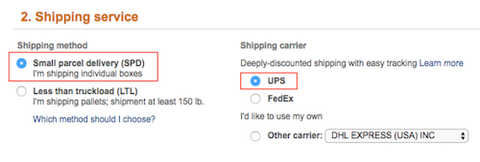
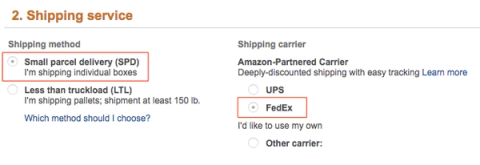
2. Complete Section 3: Shipment Packing, including the box weight (box dimensions are optional) and click Confirm.
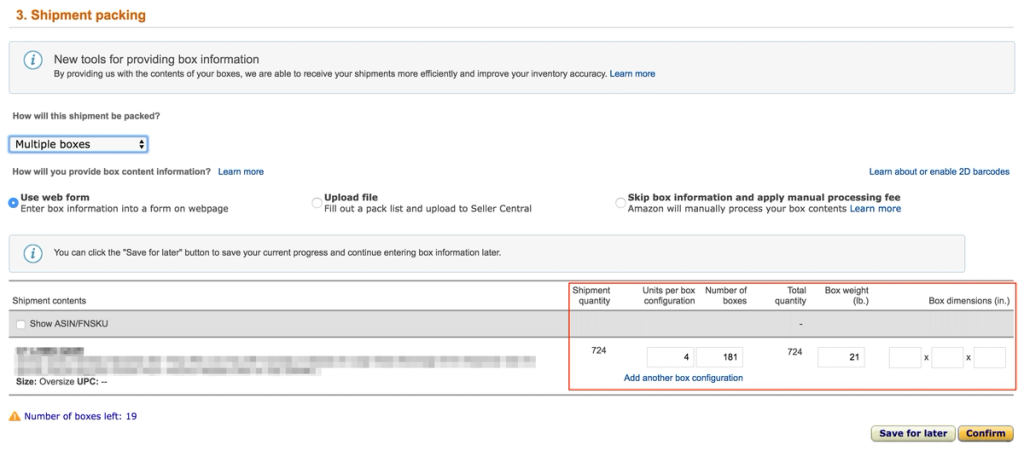
Estimated shipping costs will be located under Section 4: Shipping Charges.


Do not accept the charges.
Amazon LTL:
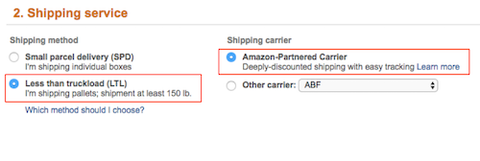
1. Select LTL and Amazon-Partnered Carrier under Section 2: Shipping Service.
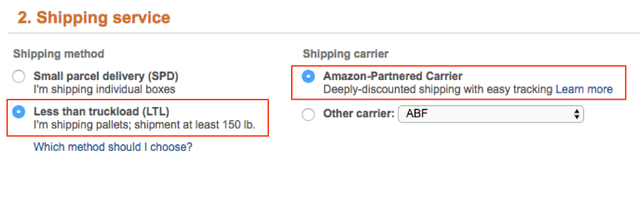
2. Complete the form under Section 3: Shipment Packing and click Confirm in the bottom right.
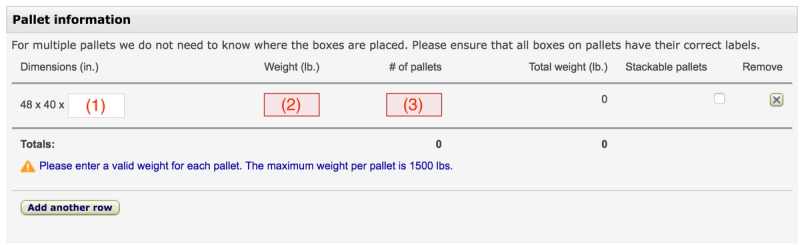
3. Estimate the pallet information using the following guidelines:
- Dimensions (1): use 72’’ (maximum height per Amazon requirements).
- Weight (2): divide the cargo weight by number of pallets.
- Approximate pallet count (3): divide the shipment’s volume (cbm) by 1.5 for an estimation.
Do not check the Stackable pallets box. If you check the Stackable pallets box, Amazon may send a truck that will only accommodate stackable pallets. If they aren’t stackable, then all your pallets won’t fit in the truck.
**Auto-pallet-calculating tools are available online, but be aware that these tools are not always accurate and often underestimate pallet details.**4. Calculate the charges underSection 4: Shipping Charges using the following guidelines:
- Freight ready date (1): choose any date.
- Contact person (2): choose any contact.
- Freight class (3): select 100.
- Declared value (4): use the commercial value of your cargo.
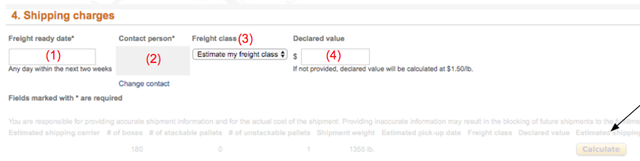
5. Click Calculate. Do not accept the charges.