For how to create a shipment plan for EU Amazon see Amazon EU Delivery: Creating a Shipment Plan in Amazon Seller Central.
To get started:
1. Select the products you want to ship on the Manage Inventory page.
Note: Put all SKUs you want to ship in one shipment plan. Shipment plans do not need to be broken down by SKU. If you break them down by SKU, Amazon may split your shipment into more fulfillment centers than necessary.
2. Select Send/Replenish Inventory from the drop-down menu.
3. Select Create new shipping plan.
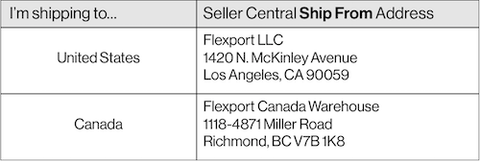
4. Choose your Ship From address:
Note: The Ship From address is the Flexport warehouse from which your shipment will be picked up for final delivery to an Amazon fulfillment center. The location of the warehouse you select sometimes determines the location of the Amazon fulfillment center you’re assigned. DO NOT USE THE SUPPLIER'S ADDRESS.
Enter a Ship From address from the table below to make your delivery more efficient:
5. Click Continue to shipping plan.
Follow steps 1-3 on Amazon's Shipment Creation Process.
On step 4, the Review Shipments page, you will be assigned a fulfillment center, or multiple fulfillment centers:
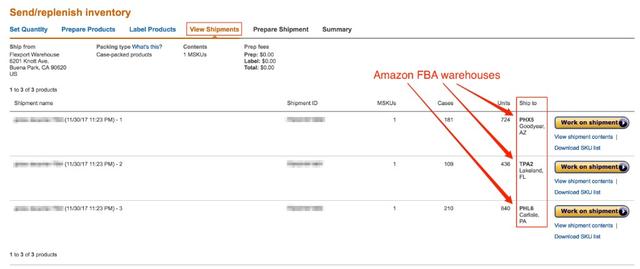
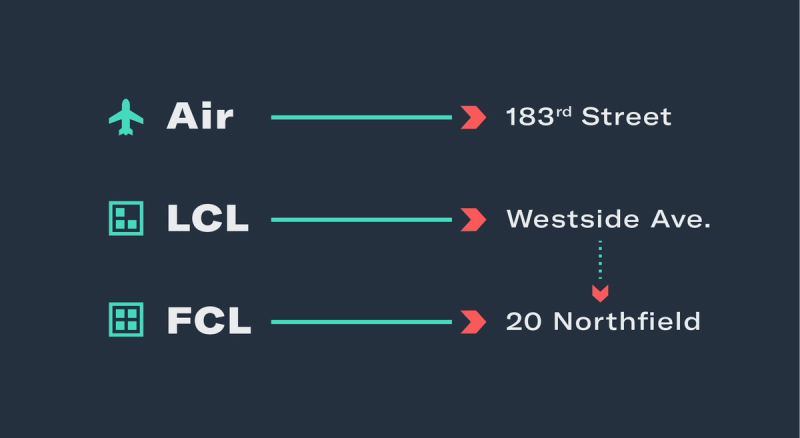
If you are shipping to Amazon U.S. and you are assigned an Amazon fulfillment center on the east coast, update your Ship From address on the Send/Replenish Inventory page using the table below:
2. Review the details of your shipment plan before you approve it. After you approve the shipment plan, very few details can be changed.
3. Approve the shipment plan. After the plan has been approved, the page will change from Review Shipments to View Shipments.
After creating your shipment plan, you will be directed to the Prepare Shipment page.
The Prepare Shipment page is where you will need to select your final delivery method, shown below.
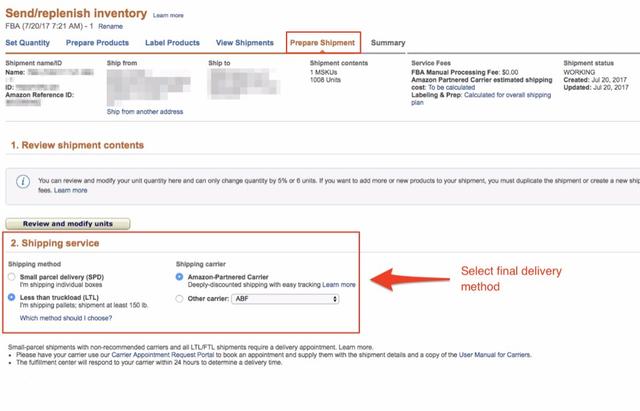
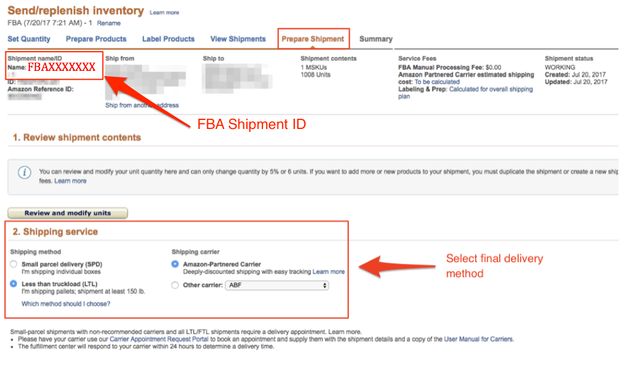
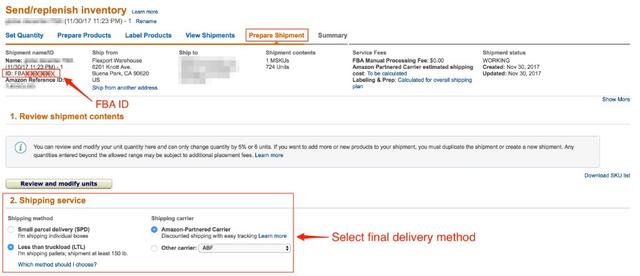
You will have a different FBA shipment ID for each fulfillment center you are assigned.