Flexport requires that a bank account must be verified in order to serve as your payment method. A bank account only needs to be verified once.
To add and verify your bank account:
- In the Billing tab, click Payment Methods.
- Click + Add Method.
- Fill in the required Bank Account information and click Save Payment Method.
- Access the drop-down menu on the right side of your preferred bank account, and click Verify. See the red boxes in the screenshot below:

5. Clicking Verify will send two micro deposits to your account (the micro-deposits may take up to a few business days to process).
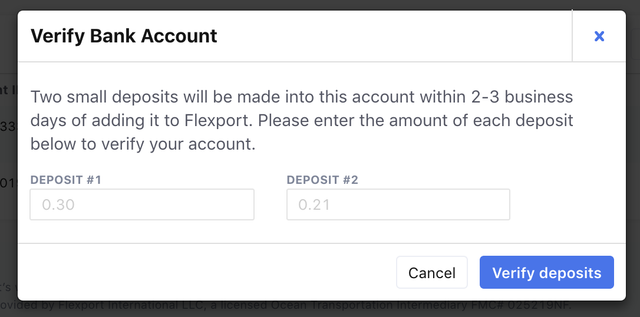
6. Once they are deposited, return to the same screen, click Verify, and enter the amounts deposited. Then click Verify deposits:
This will get you all set up for payment! If you don't receive the micro deposits within a few days, or if you have any other questions, please contact accountsreceivable@flexport.com.